Forbidden risk level
Last updated: October 1, 2025
As part of your compliance policy you might want to set a forbidden risk level and to set up automations that will automatically reject any case that has this risk label.
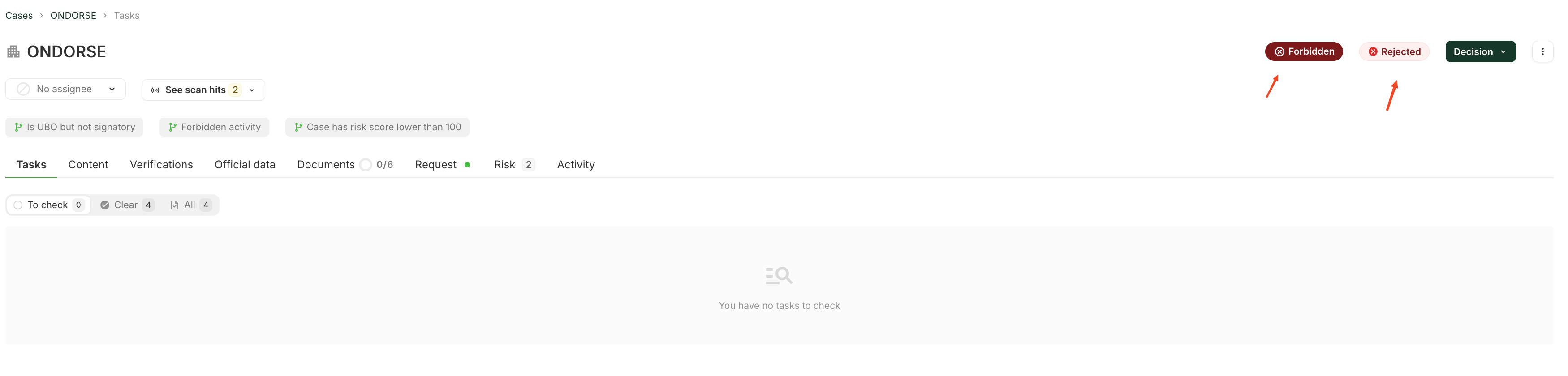
As with other risk levels you can automatically set this label based on a specific risk score using an activation condition
gte(application.risk_score || 0 , {risk score above which risk level becomes forbidden} )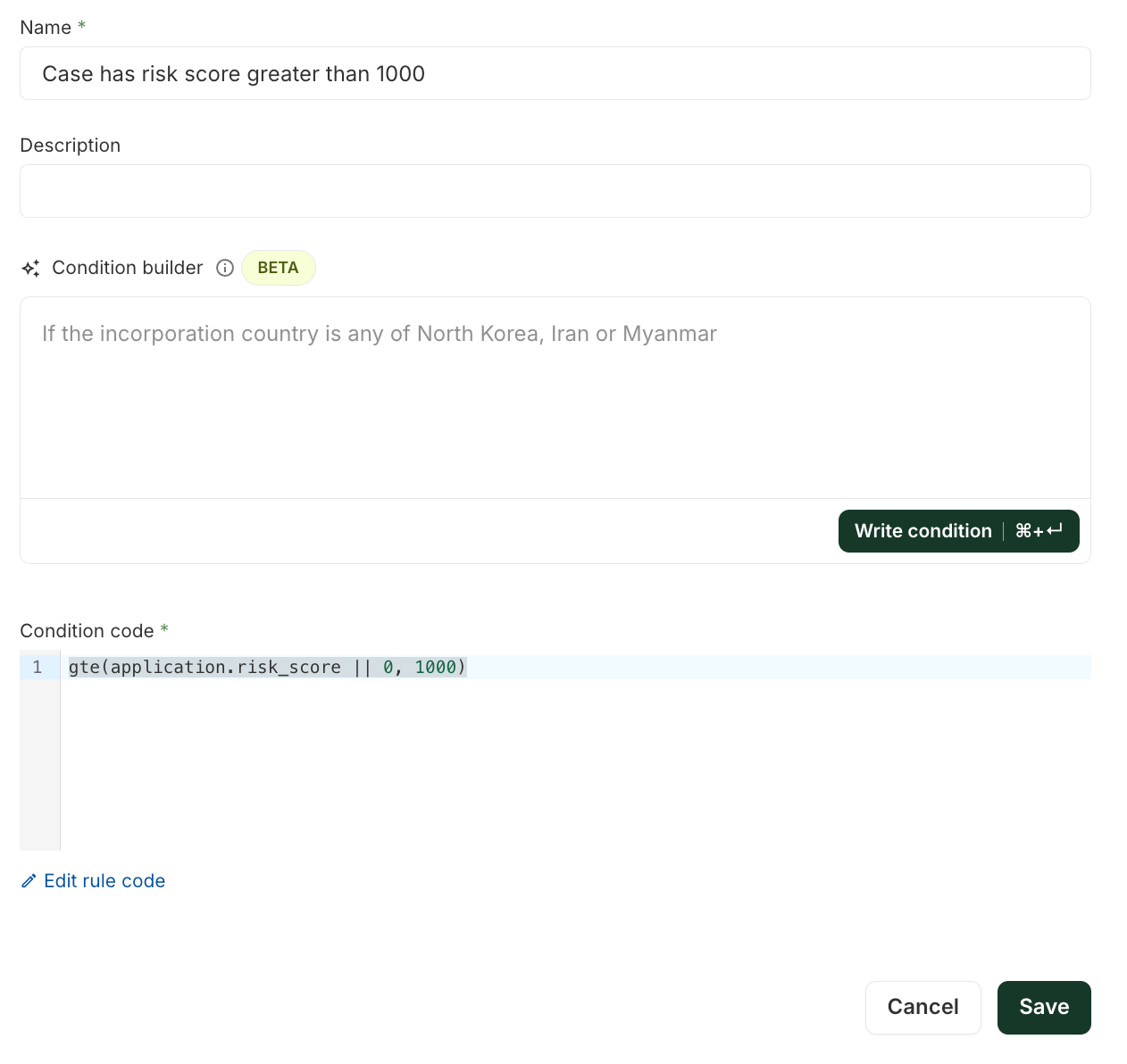
And and an automation using this condition:
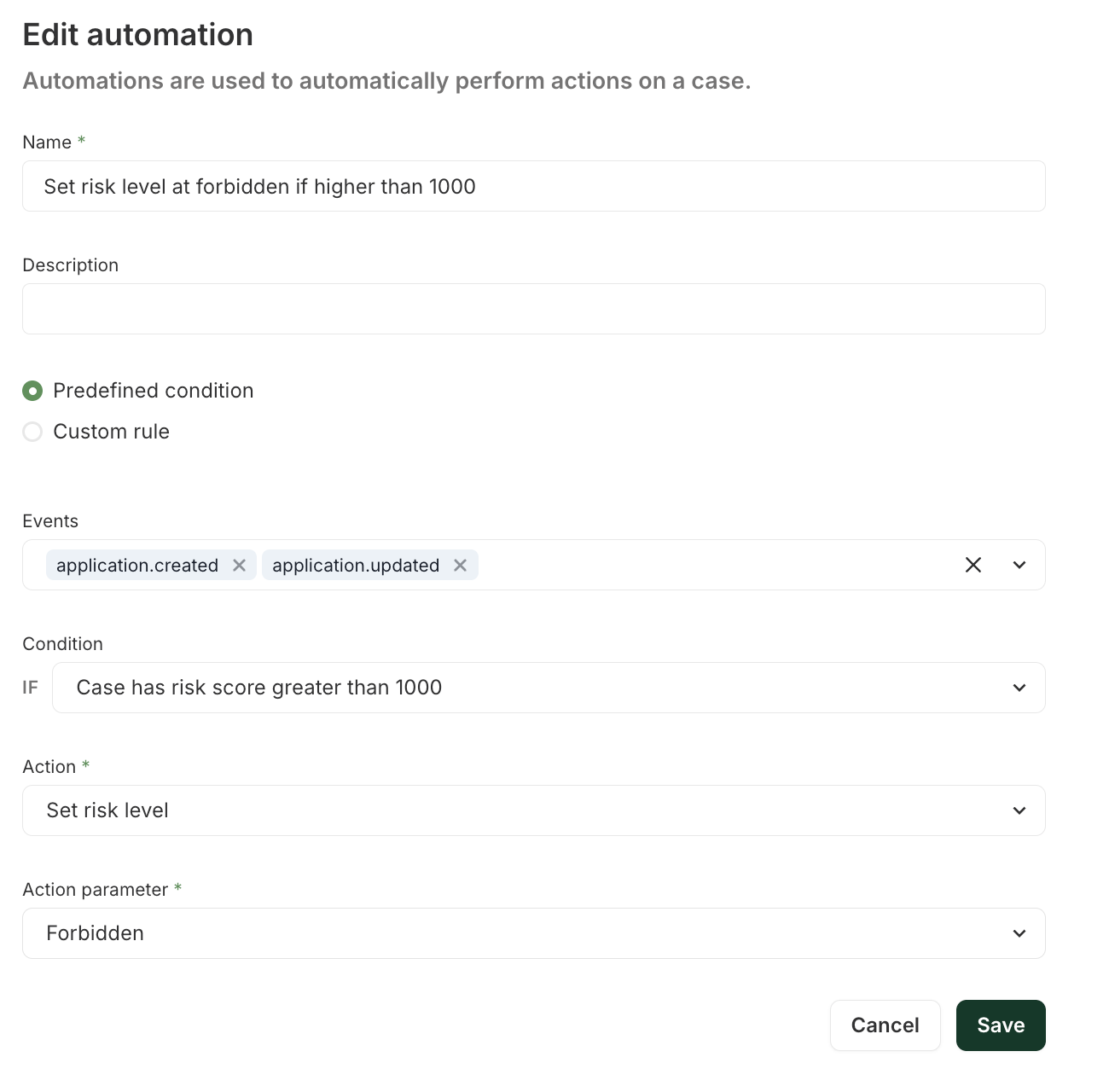
In addition you can add as many automations as needed based on specific characteristics of your case. For example if the activity of the client precludes them from becoming one of your clients.
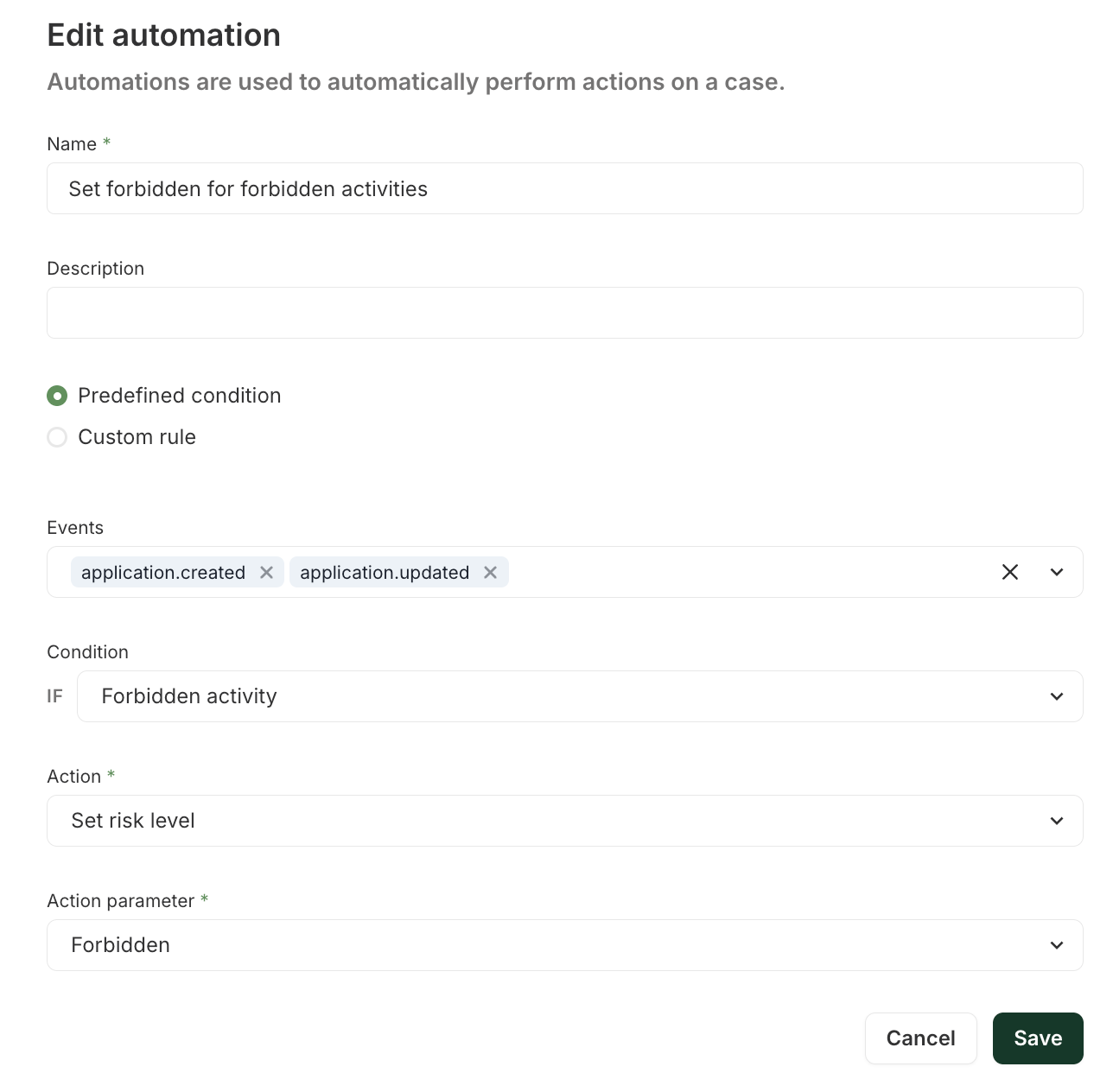
By default your account will come with two default automations which you can remove or amend to suit your specific use case:
Cases with a forbidden risk level will be automatically rejected when the case is ready for decision ensuring straight through rejection so that you waste no time on them
Cases with a forbidden risk level will require a qualified reviewer to make decisions on them (whether it's because you do not use auto rejection or because you wish to overrule the initial rejection)