How to add a related party to a case and assign a role
Last updated: April 13, 2026
Related parties are the individuals and entities connected to the main subject of a case. They are central to your KYB/KYC process and must be accurately captured to ensure a complete compliance review.
What is a related party?
A related party is any person or entity linked to the company (or individual) under review. There are two types:
Natural persons (individuals): shareholders, directors, legal representatives, UBOs, etc.
Legal entities (businesses): holding companies, parent entities, etc.
Adding a related party to a case
Open the relevant case from your case list.
Navigate to the Related parties tab.
Click "Add a related party".
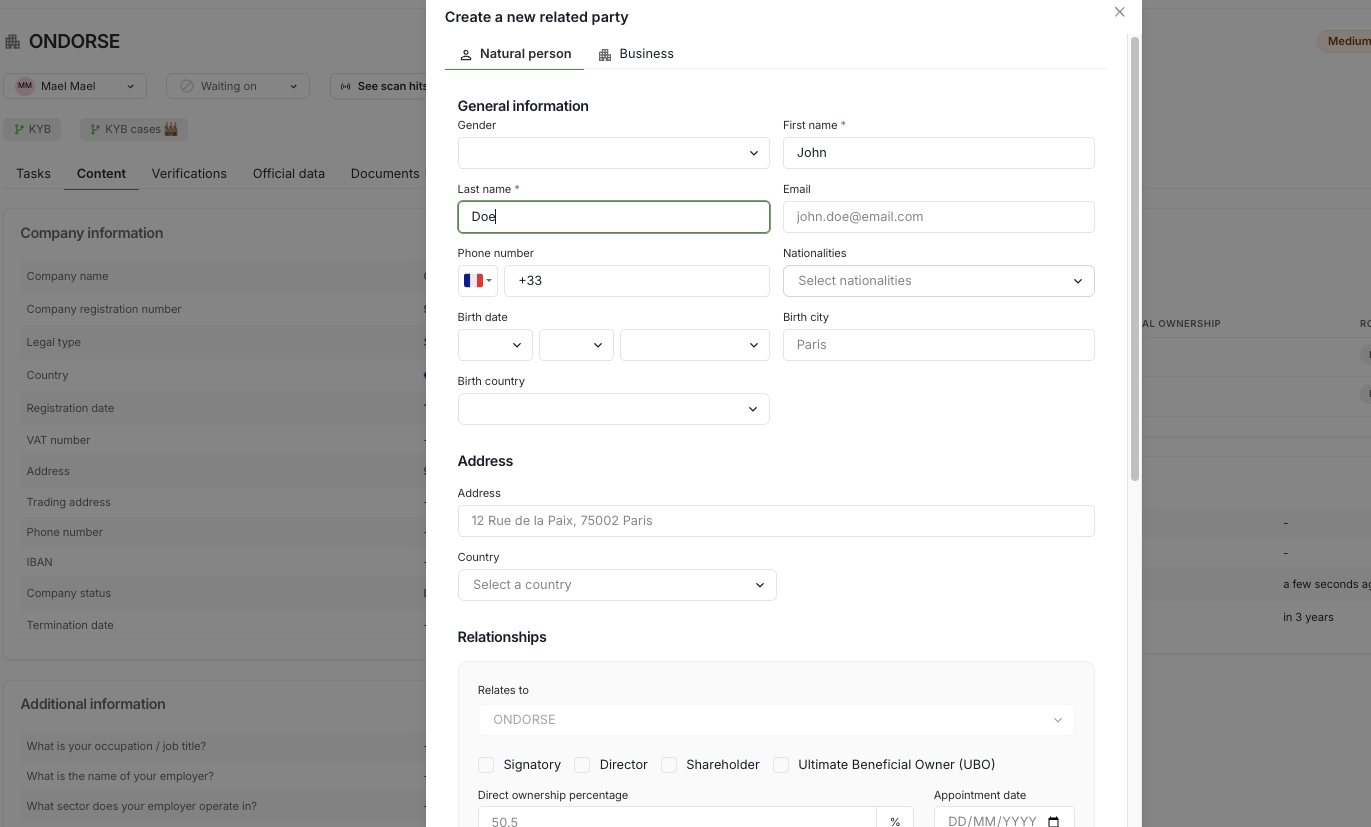
Choose the type of party you want to add:
Person (natural person)
Business (legal entity)
Fill in the required identification fields (name, date of birth for individuals; company name and country for businesses).
Click Save.
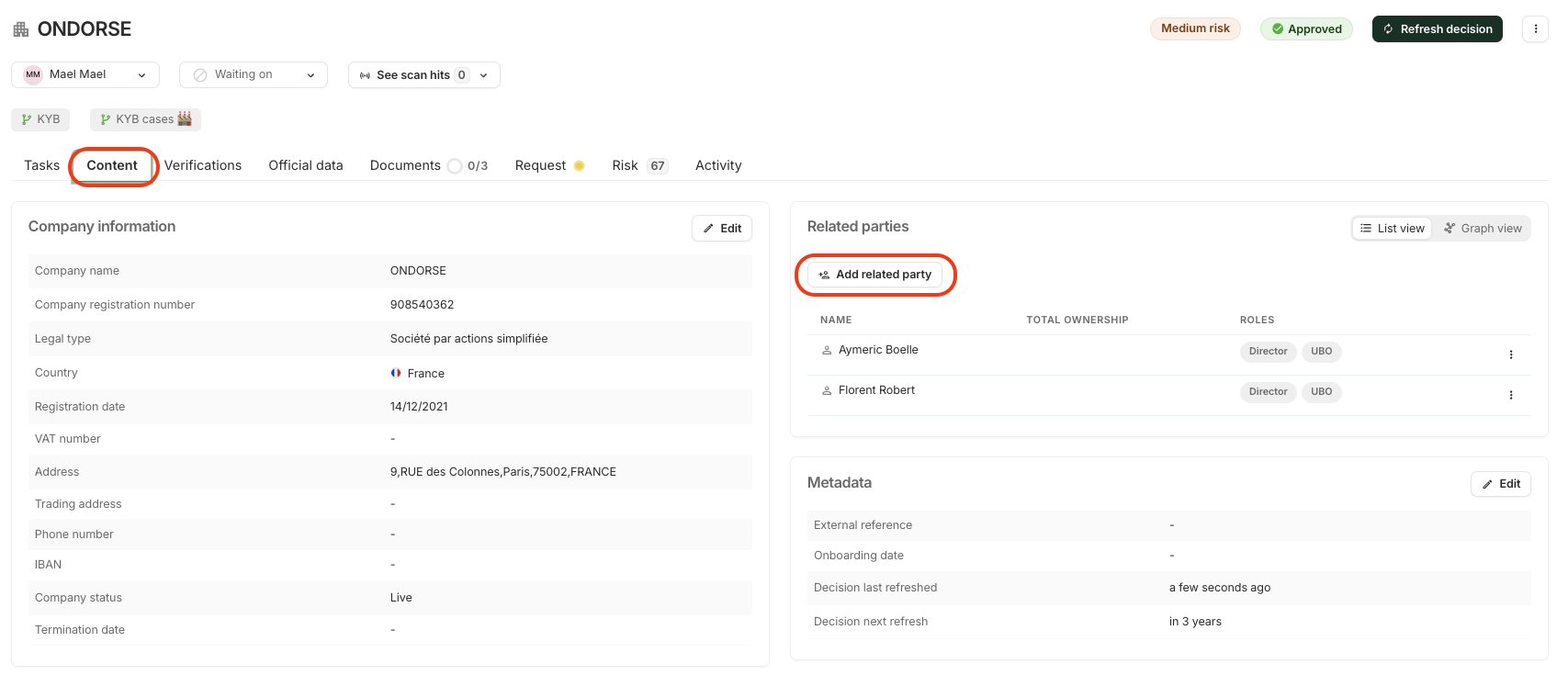
The related party will now appear in the related parties section of the case.
Assigning a role to a related party
When adding or editing a related party, you will be asked to define their relationship to the main entity. This is done by selecting one or more roles.
Roles available for individuals
Role Description | |
Signatory | The individual acting on behalf of the company (e.g. opening an account). Only one signatory can be designated per case. |
Shareholder | An individual who directly holds a share of the company's capital. |
UBO (Ultimate beneficial owner) | A natural person who ultimately owns or controls the company (typically holding more than 25% of capital or voting rights). |
Director | A managing executive of the company. |
Roles available for legal entities
Role Description | |
Shareholder | A company that directly holds a share of the main entity's capital. |
Director | A legal entity acting as the managing director of the company. |
A related party can hold multiple roles simultaneously. For example, an individual can be both a shareholder and a UBO.
Editing or removing a related party
To edit a related party, click on their name in the related parties tab and update the relevant fields.
To remove a related party, open their profile and select the delete option.
All changes are automatically recorded in the case's Activity log, ensuring a complete, traceable audit trail.
Need help?
If you have any questions or encounter an issue, feel free to reach out to our support team.