How to test AI document checks before automating them (supervised mode)
Last updated: November 13, 2026
Before letting the AI validate or invalidate documents on its own, you can run it in supervised mode: the AI checks every document, but your reviewers keep the final decision. Each answer is recorded so Ondorse can measure how often the AI agrees with your team.
This article follows How to check documents using AI in Ondorse and how to configure them?
AI document checks are not necessarily included in your plan, and the number of expected documents with AI checks may be limited. Contact your Ondorse representative to know what your plan includes.
Step 1 — Turn on supervised mode
Go to Settings > Expected documents and open the document.
In Collection and validation, tick Add AI checks.
Under When the AI says valid and When the AI says invalid, choose Supervised for evaluation.
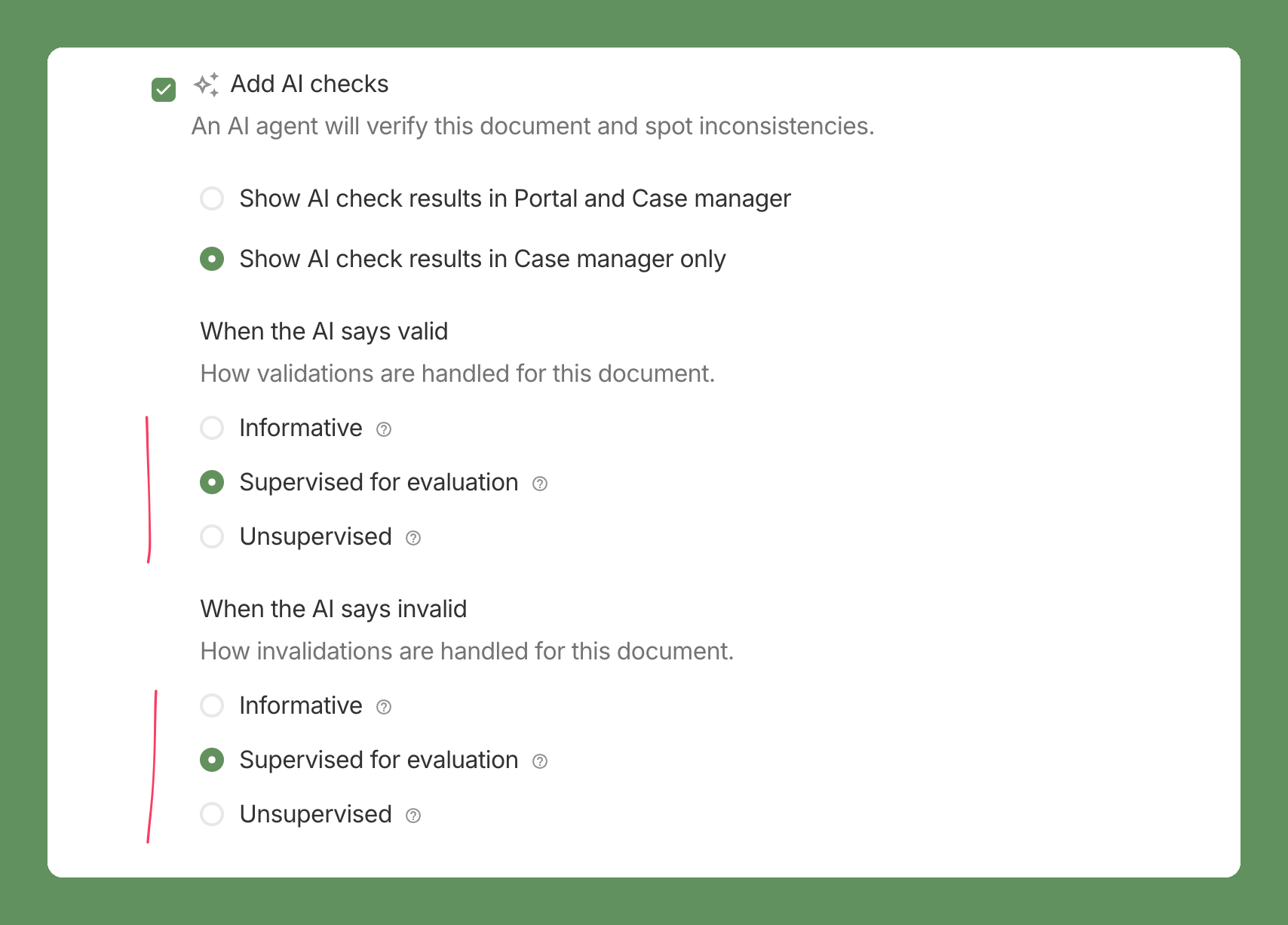
The three modes:
Informative: the AI result is shown to reviewers, nothing more.
Supervised for evaluation: the AI pre-fills the decision, the reviewer confirms or corrects it, and the answer is recorded.
Unsupervised: the AI validates or invalidates the document automatically.
You can set the two sides differently, for example unsupervised when the AI says valid and supervised when it says invalid.
Step 2 — Review documents as usual
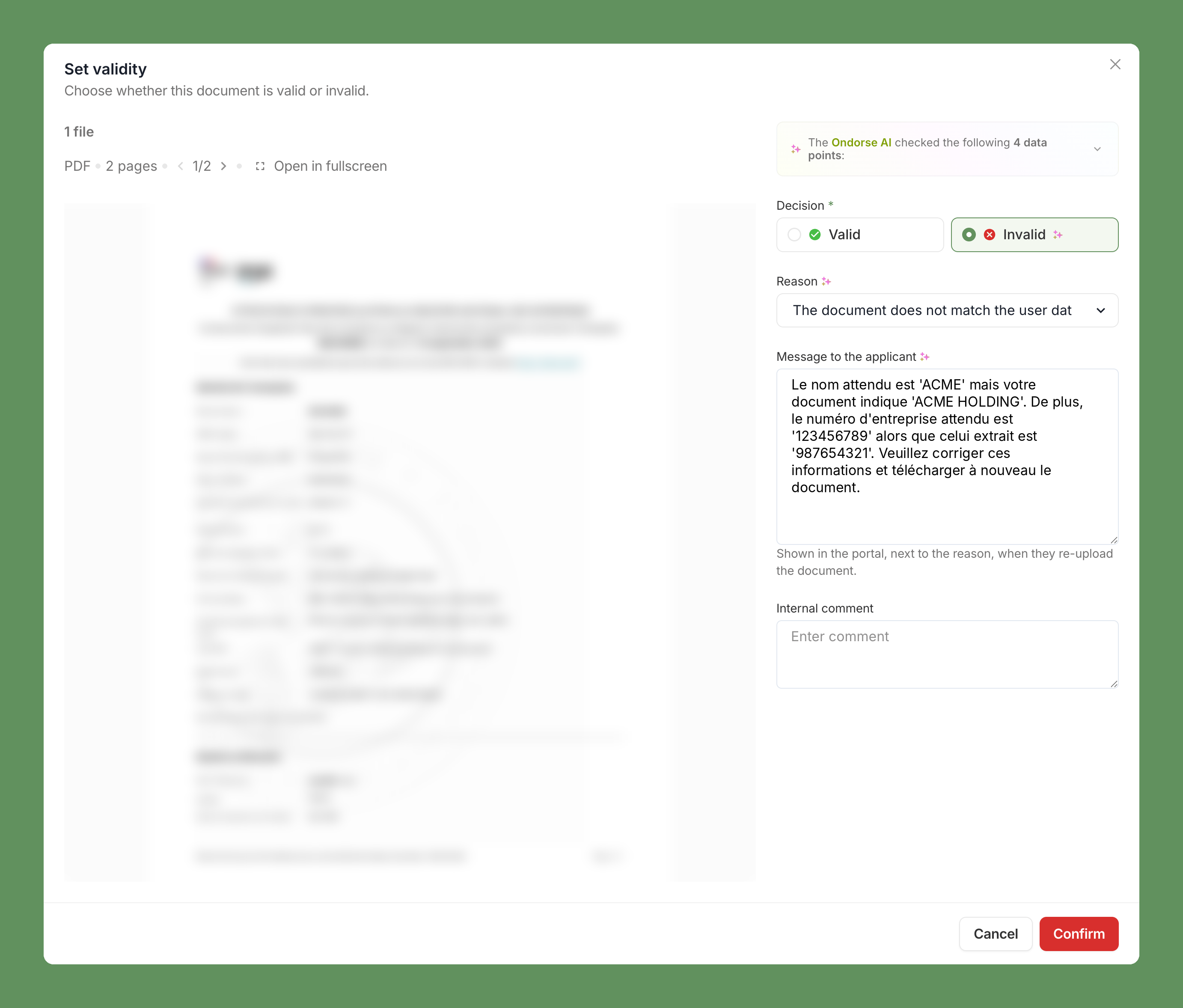
When a reviewer sets the validity of a document, the AI's decision, reason and message to the applicant are already filled in. The reviewer checks them, changes what's wrong, and clicks Confirm.
Step 3 — Look at the results with your Ondorse team
Once enough documents have been reviewed, Ondorse measures how often the AI agreed with your reviewers, and where it didn't:
documents the AI approved that your reviewers rejected (compliance risk);
documents the AI blocked that your reviewers accepted (customer friction).
Your Ondorse representative shares these results with you. If they're good, switch the document to Unsupervised. If not, we adjust the checks and keep collecting answers.
Ondorse's preset checks can run in supervised mode in production today. For custom checks or new document types, contact your Ondorse representative before you start.