How to import data
Last updated: May 6, 2026
You can import your cases and associated data, persons and documents, in Ondorse.
To do so, you will be able to import a collection of CSV (or XLS) files and ZIP file that contains your document. The platform will validate these files on the fly and provide you with feedback before importing them in Ondorse.
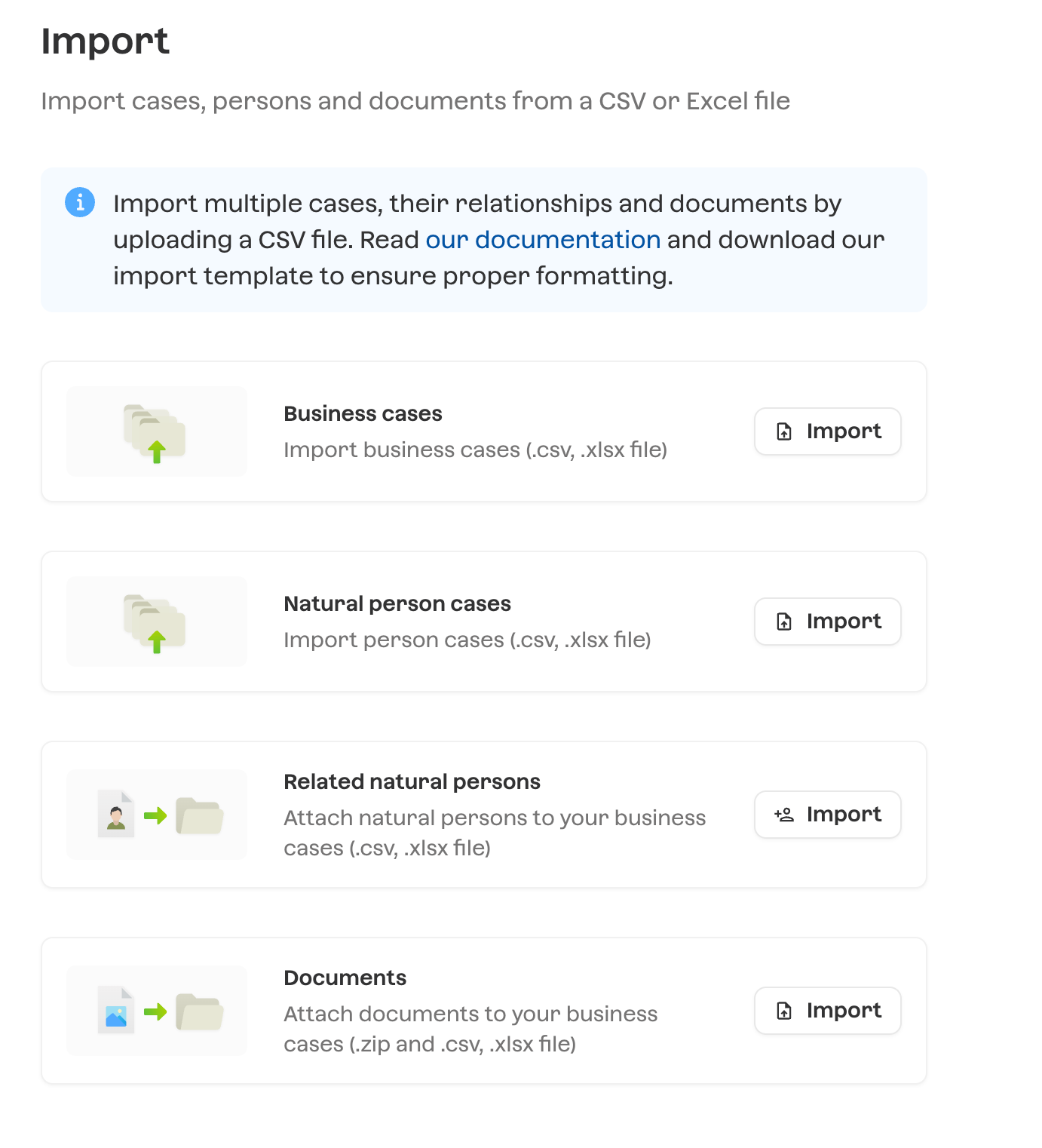
This article will guide thru the process.
Start with our template
We encourage you to start by copying and filling our import template. You can find this template here.
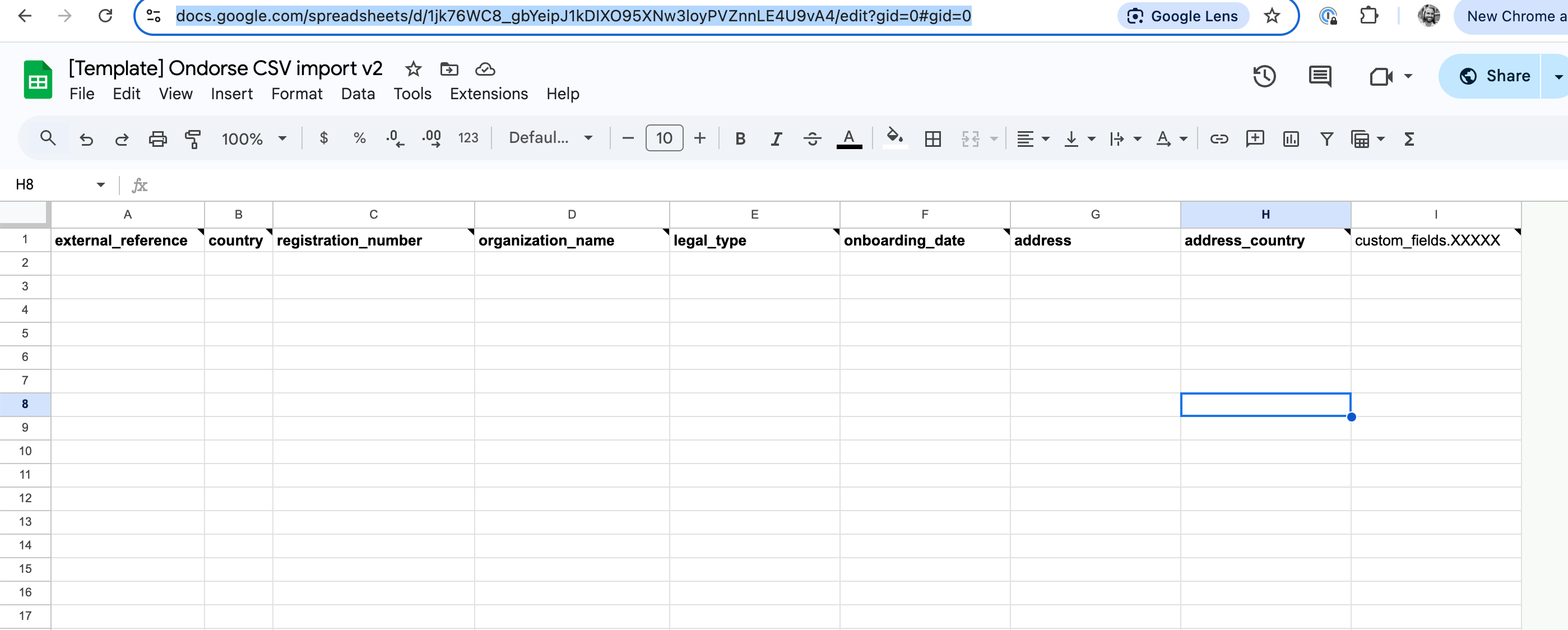
The template contains several tabs:
Business cases: this is the template to use to import cases in which the subject is a business entity (KYB).
Natural persons cases: this is the template to use to import cases in which the subject is a natural person (KYC).
Related persons: this is the template to use to import persons related to each imported (business) cases.
Documents: this is the template to use to import documents and to attach them to imported cases and persons. The documents CSV file is to use with a ZIP file actually containing the document files.
Reference tabs: the tabs prefixed
ref:are reference values that you need to use in come columns of your import file. More on that in the Format guidance section.
The names of the columns can be remapped during the import process.
Format guidance
Some documentation and guidance on the format of each file.
Business cases
Column | Description | Constraint |
external_reference | A reference to the customer or case in your internal system. Example: an account ID, a client ID, etc. This value will be used in the other imported files to reference a case. | Required This value must be unique within your account. |
incorporation_country | The registration country of the company. | Required |
registration_number | The registration number of the company | Required |
organization_name | The name of the company | Required |
legal_type | Required
| |
onboarding_date | A date when the customer has been onboarded. Can be used to input the date of first KYC or business relationship start date. | YYYY-MM-DD |
address_* | Address columns | See note below on address format |
custom_fields.XXX | The value for a given custom field, XXX being the API name of the custom field (see below). Add as many custom fields as needed. | Refer to custom field's constraint below. |
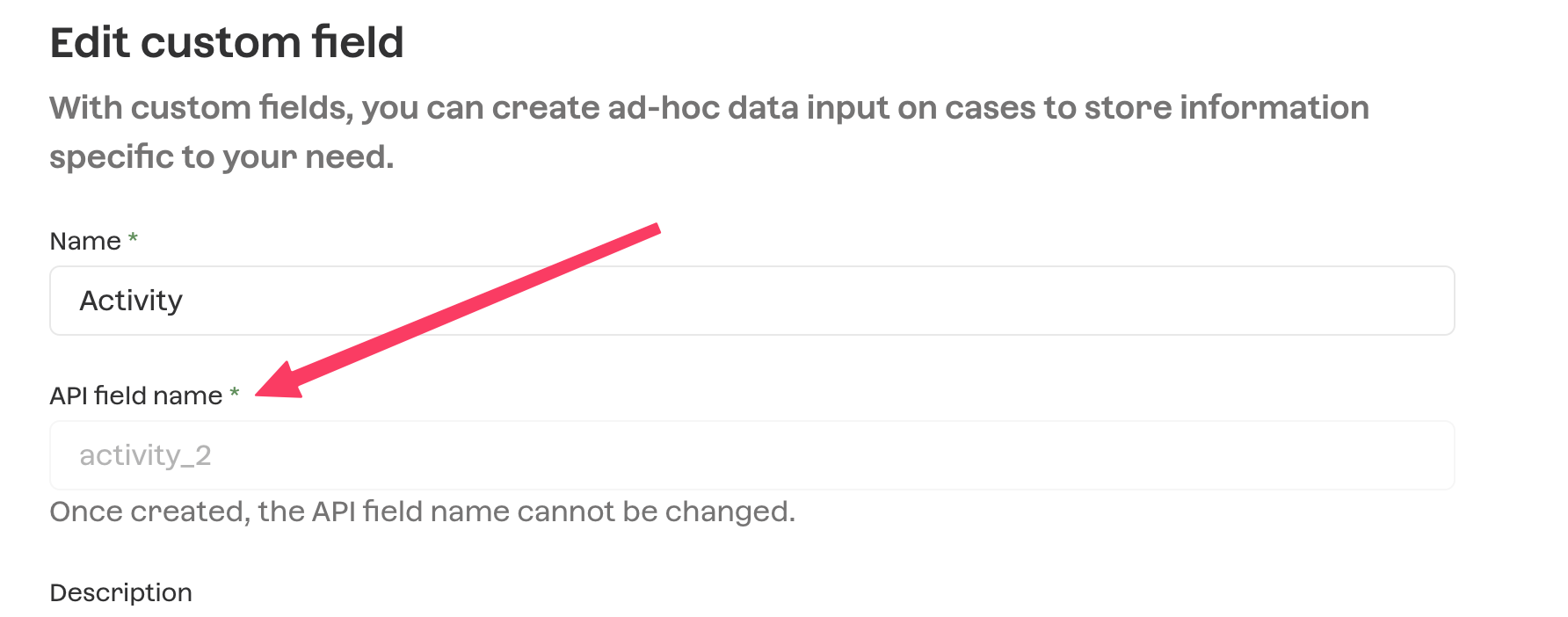
Natural person cases
Column | Description | Constraint |
external_reference | A reference to the customer in your internal system. Example: an account ID, a client ID, etc. This value will be used in the other imported files to reference a case. | Required This value must be unique within your account. |
given_names | Given names/first names of the natural person | Required |
last_name | Last name/surname of the natural person | Required |
address_* | Address columns. Residential address of the natural person | See note below on address format |
gender | Gender of the natural person | "M", "F" or "O" (other) |
birth_date | Date of birth | YYYY-MM-DD |
birth_country | Country of birth | 3 letters code, e.g: FRA, GBR. |
nationalities | Nationalities/citizenships | Comma-separated 3 letters code |
Email address | ||
phone_number | Phone number | E.164 format |
onboarding_date | Date when the customer has been onboarded. Can be used to input the date of first KYC or business relationship start date | YYYY-MM-DD |
custom_fields.XXXXX | The value for a given custom field, XXX being the API name of the custom field (see below). Add as many custom fields as needed. | Refer to custom field's constraint. |
Persons
Column | Description | Constraint |
external_reference | A reference to the person in your internal systems. If none, use an unique identifier | Required |
case_external_reference | A reference to the case line using column | Required |
given_names | ||
last_name | ||
birth_date | ||
birth_city | ||
is_signatory | TRUE or FALSE | |
is_UBO | TRUE or FALSE | |
is_shareholder | TRUE or FALSE | |
is_director | TRUE or FALSE | |
address_* | Address columns | See note below on address format |
Documents
This file should be uploaded alongside a ZIP file containing the actual document files. The CSV will reference these files using the path_to_file column.
Column | Description | Constraint |
external_reference | Required | |
case_external_reference | A reference to the case line using column external_reference. If present, this document will be attached to the referenced case. | Required if no |
person_external_reference | A reference to the person line using column external_reference. If present, this document will be attached to the referenced person. | Required if no |
path_to_file | The path to the file in the provided ZIP file. | Required |
expected_document_id | Specifies the Expected Document of your account to which this document should be associated to. | The ID of the Expected Document on your account. |
country | Document issuing country | 3 letters code, e.g: FRA, GBR |
expiration_date |
Address format
We support 2 formats for address:
single_line: the address is made of only 2 components:
address_single_line: a line that contains all elements of an address concatenated (line, code, city)
address_country
multi_line: the address is made of separated components:
address_line1
address_city
address_postal_code
address_country
For single line, add these columns to your import:
Column | Constraints |
address_type |
|
address_single_line | |
address_country | 3 letters code, e.g: FRA, GBR |
For multi-line, add these columns to your import:
Column | Constraints |
address_type | |
address_line1 | |
address_city | |
address_postal_code | |
address_country | 3 letters code, e.g: FRA, GBR |
Upload, validate and import
In the end, you should end up with these files:
cases.csv, a CSV (or XLS) file in the format of one of cases template tabs: Business case or Natural person cases. It should be uploaded as Business cases or as natural person cases.persons.csv, a CSV (or XLS) file in the format of the persons template tab. Should be uploaded in the Related natural persons.For documents, that should will be uploaded in Documents.
documents.csv, a CSV (or XLS) file in the format of the documents template tab.documents.zipa ZIP file containing the actual document files.
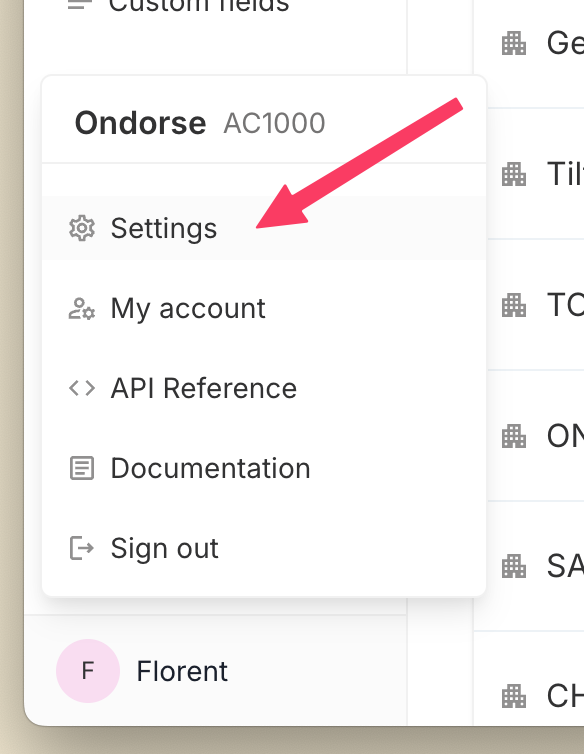
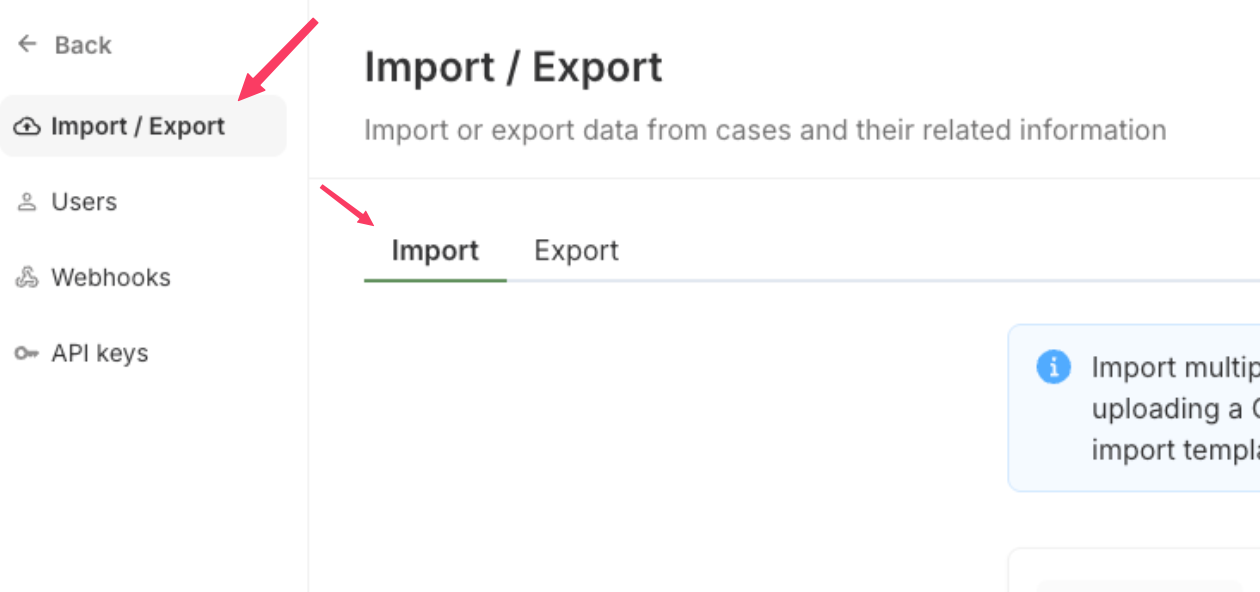
You can find the upload interface by clicking your name in the bottom left, accessing Settings > Import / Export and navigating to the tab Import.
Fix errors and re-upload
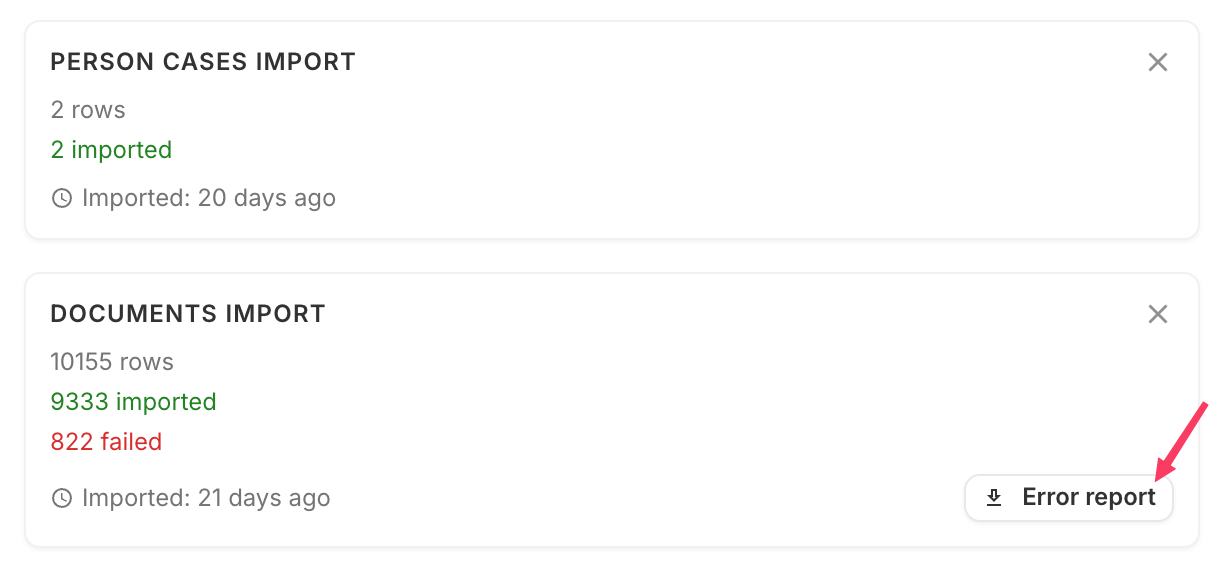
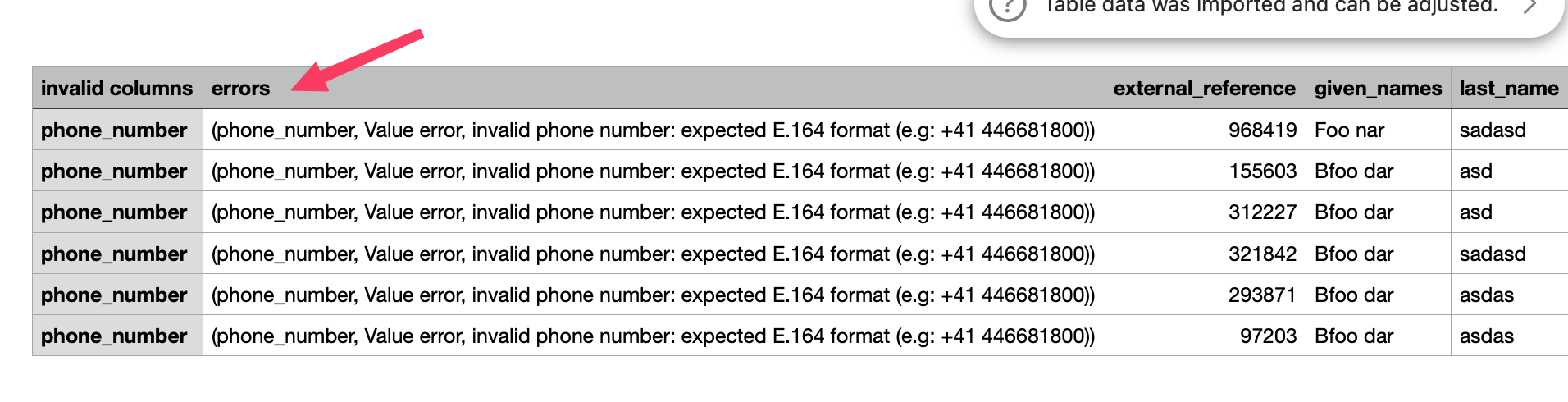
If some lines in your file fail validation, you don't need to start over. Once the import has run, you can download an Error report — a CSV containing only the rows that failed, with the reason for each error in a dedicated column.
The recommended flow is iterative:
Upload your file.
Download the Error report for the rows that failed.
Fix the errors directly in that file.
Re-upload the corrected Error report — only the failed rows are re-imported.
You can repeat this until all rows are imported successfully.