How to close a case
Last updated: November 10, 2026
Close a case when the business relationship ends, or when the customer drops out during onboarding. A closed case is kept for audit, but Ondorse stops working on it and it no longer counts in your billing.
Close a case
Open the case.
Choose Close case.
Select a reason:
Client churned: the client decided to stop using your service;
Client has become inactive: no activity for an extended period;
Client dropped: the client dropped out during onboarding;
Other.
Click Close case.
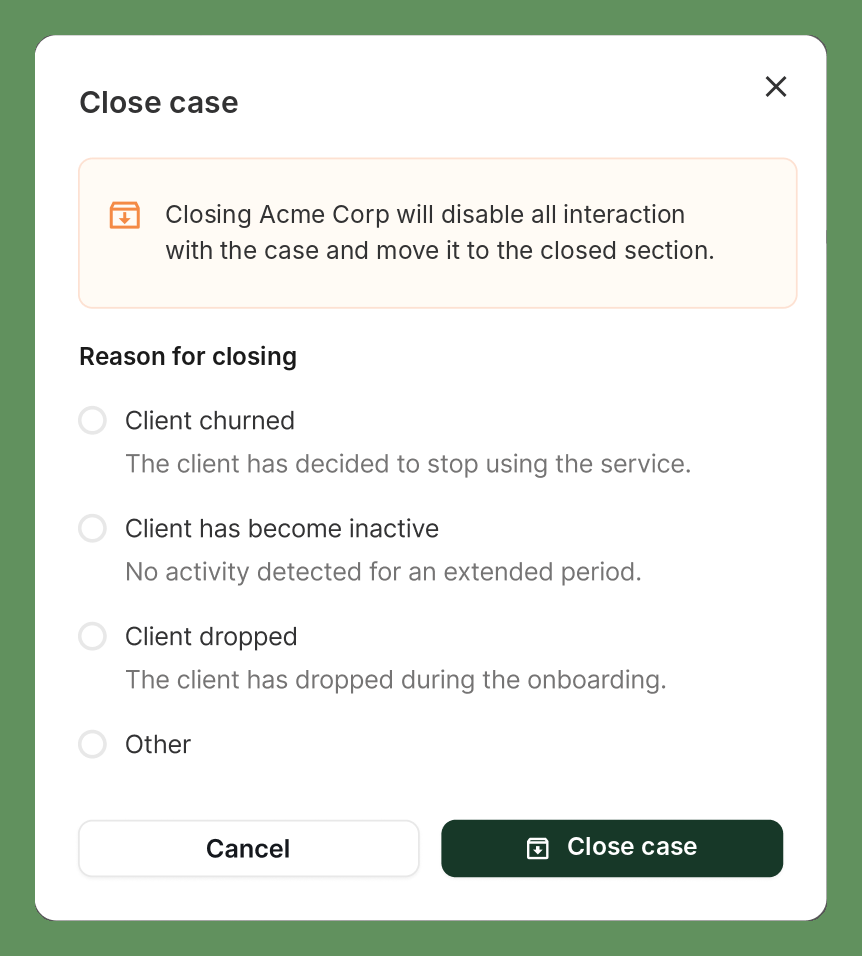
The reason is recorded on the case, so you can report on why relationships end.
A case rejected during onboarding is closed automatically. You don't need to close it yourself.
What happens to a closed case
All interaction with the case is disabled, and it moves to the closed cases.
It is removed from active queues and scans.
It is removed from screening monitoring, so you no longer pay for ongoing monitoring.
It no longer counts as a case under management for billing.
Its data, documents and history stay accessible for audit. Nothing is deleted.