How to detect duplicate persons and businesses across cases
Last updated: November 10, 2026
When the same person or business appears in several of your cases — for example a director shared across subsidiaries — Ondorse spots it. Your team confirms the match and reuses the checks already done, and your customer isn't asked again for what they already gave you.
Detect duplicates is not necessarily included in your plan. Contact your Ondorse representative to know what your plan includes.
Before you start
Ondorse can only match persons and businesses that carry the right data:
persons: a full date of birth (and a name);
businesses: a registration number and a country.
Make these fields required in the portal so every new case can be matched: go to the Portal tab > Fields, then Person and Business.
Turn it on
Go to the Workflow tab > General settings.
Switch on Detect potential duplicates.
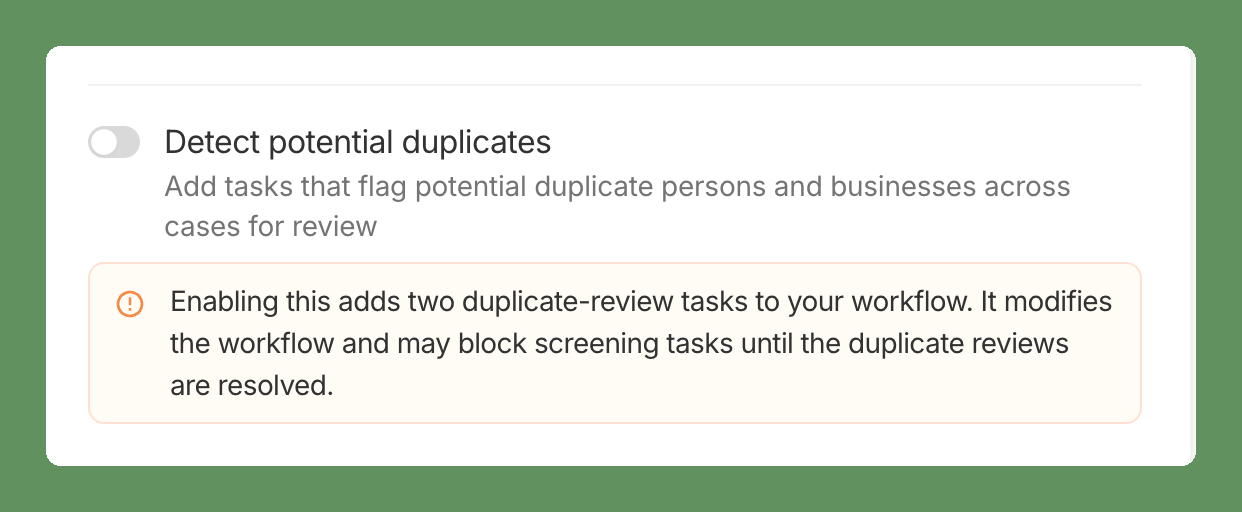
What changes in your workflow:
Two tasks are added: one to review potential duplicate persons, one for potential duplicate businesses.
Screening tasks may wait until the duplicate reviews are resolved, so the same person or business isn't screened twice.
How matching works
Detection runs automatically each time a person or business is added to a case (as director, UBO or shareholder). There's nothing to trigger.
Businesses match on the same country and registration number.
Persons match on the same date of birth and a matching name.
Ondorse only looks at your other cases. Draft cases, and the case itself, are never used as a match.
What your customer sees in the portal
As soon as a potential duplicate is found, documents and fields (built-in and custom) already collected for that person or business are hidden in the portal — even before an analyst confirms the match.
Some fields are always asked, even for a duplicate:
country, company name and registration number;
first name, last name;
date, city and country of birth;
direct and indirect ownership percentages;
whether the person is authorized;
role.
Review a potential duplicate
The case waits for a decision. Open the review task in the case: it shows the entry on this case next to the matching one, with a link to the other case.
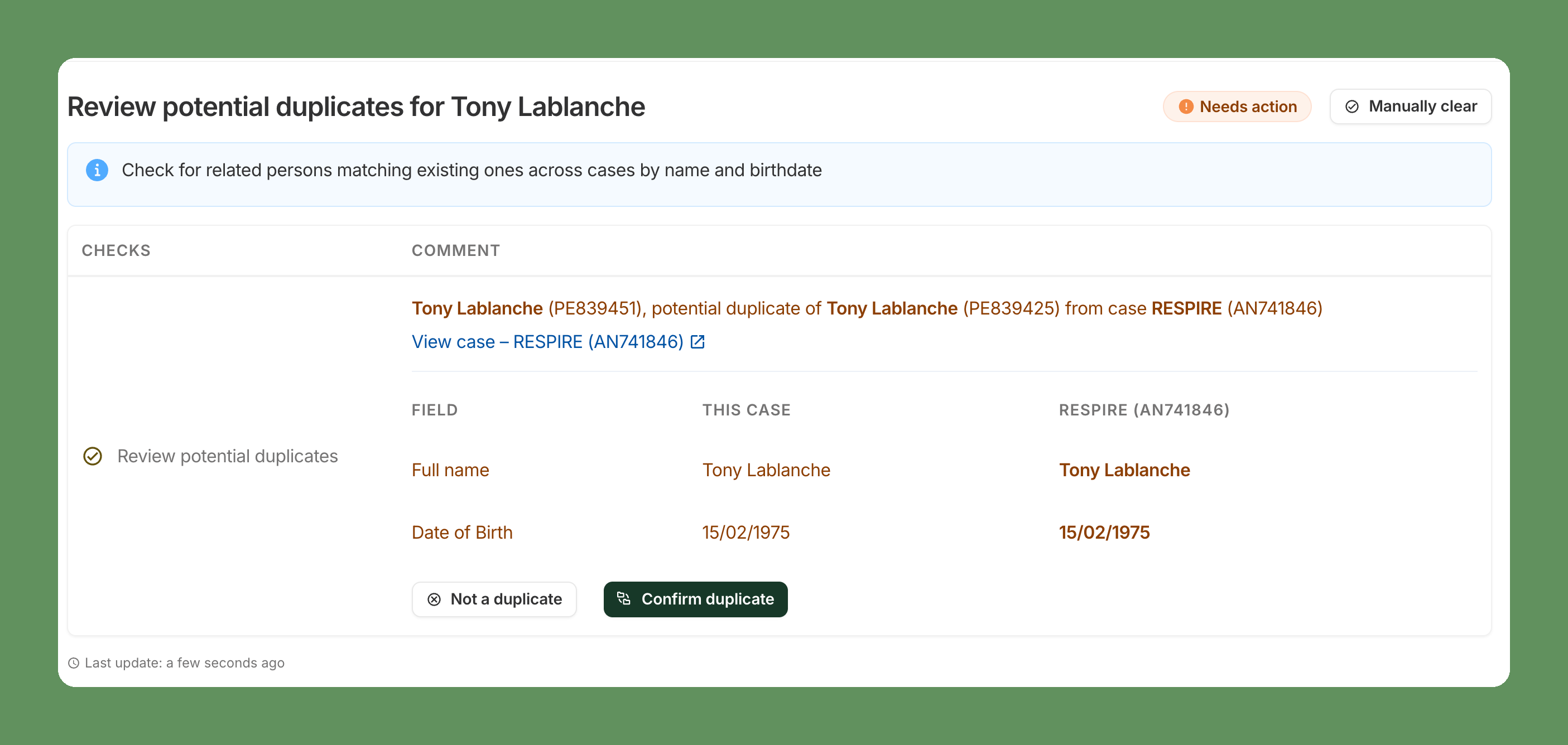
Confirm duplicate: it's the same person or business. The newer case reuses the checks already done on the matching entity — screenings and searches — instead of running them again.
Not a duplicate: the match is dismissed. It's stored and won't be suggested again, and the usual collection resumes.
Manually clear: closes the task without a decision on the match.
If several cases are linked to each other (A matches B, B matches C), Ondorse groups them: confirming one link resolves the whole group.