Automatic portal reopening for identity verification (IDV)
Last updated: August 3, 2026
What it does
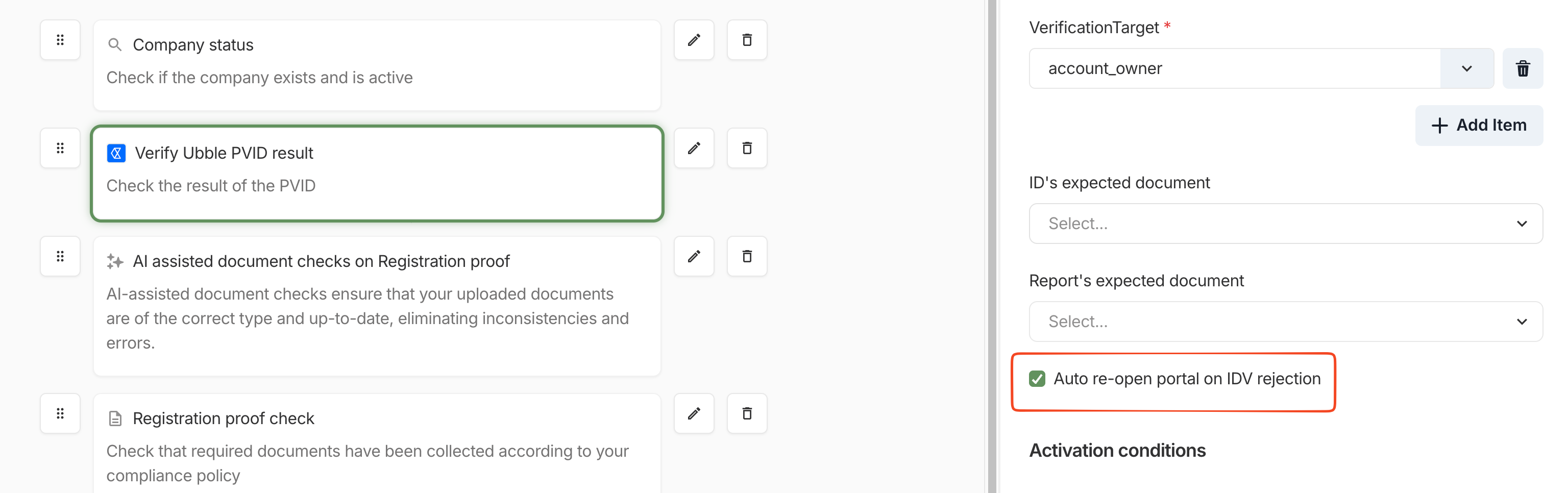
When an applicant's identity verification (IDV) fails, Ondorse now automatically reopens their portal so they can retry, without a compliance manager needing to step in and open a new one manually.
The option is activated by default but you can choose to remove it if you prefer for this action to be done manually
How it works
Ondorse listens for the identity verification provider's decline event. When a submitted IDV comes back declined, the applicant's portal reopens on the identity verification step, and they're shown an explicit reason for the retry.
In the specific case of a name mismatch between the ID document and the application, the full portal will be re-opened so that the user can modify their name or change the IDV s
What compliance managers and support agents need to know
No action is needed when an IDV is declined; the portal reopens on its own.
The retry re-uses the existing application, so any new IDV session becomes the active one on the case.
Manual reopening (via the portal API or portal settings) is still available and works the same as before for edge cases.
Why it matters
This removes a back-and-forth step for the end customer, reduces manual operational work for compliance teams, and improves conversion and satisfaction during onboarding.