Configure your ComplyAdvantage tasks (Mesh platform)
Last updated: February 4, 2026
Once Ondorse has created and connected your ComplyAdvantage account, you can create screening configuration in ComplyAdvantage and use them in your Ondorse tasks.
A c is the set of activated lists you use to search an entity. For example, it is customary to have at least one configuration for natural persons and one for businesses.
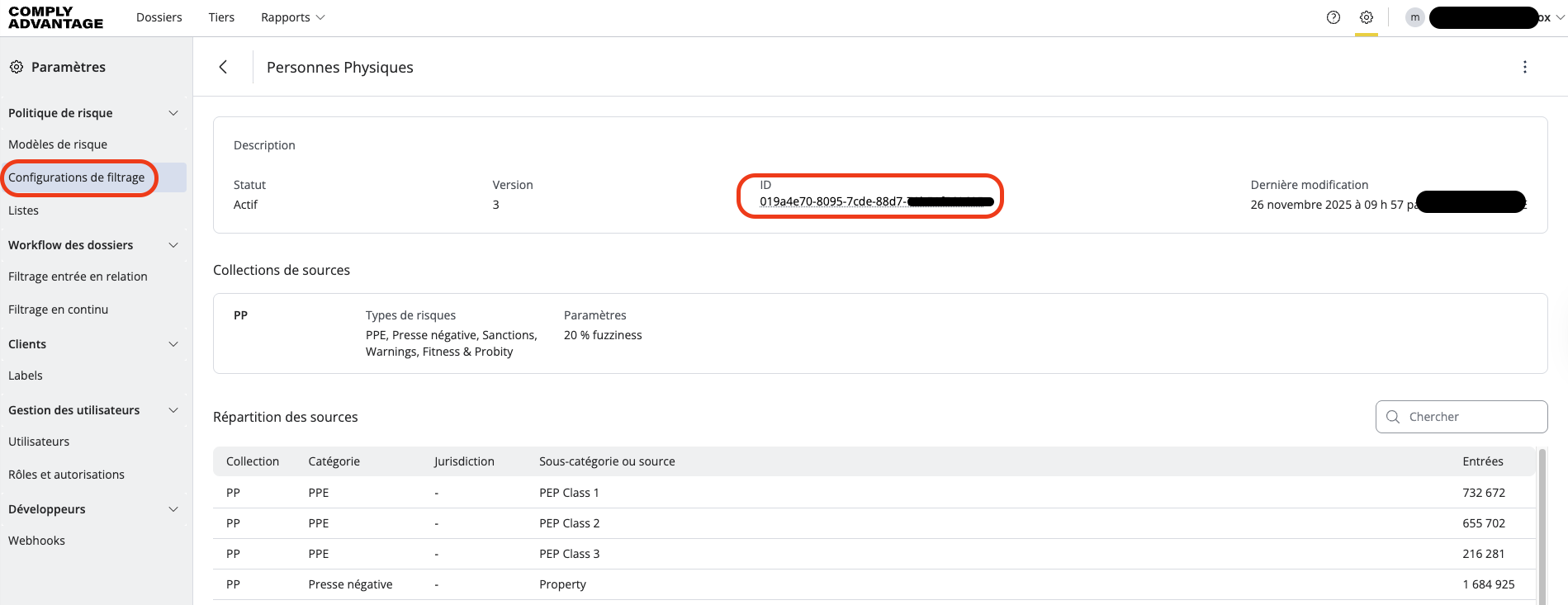
In ComplyAdvantage, you will find these under "settings" (the small icon in the top-right corner). Once a configuration is created, you will get a screening configuration ID that you will have to reference in Ondorse
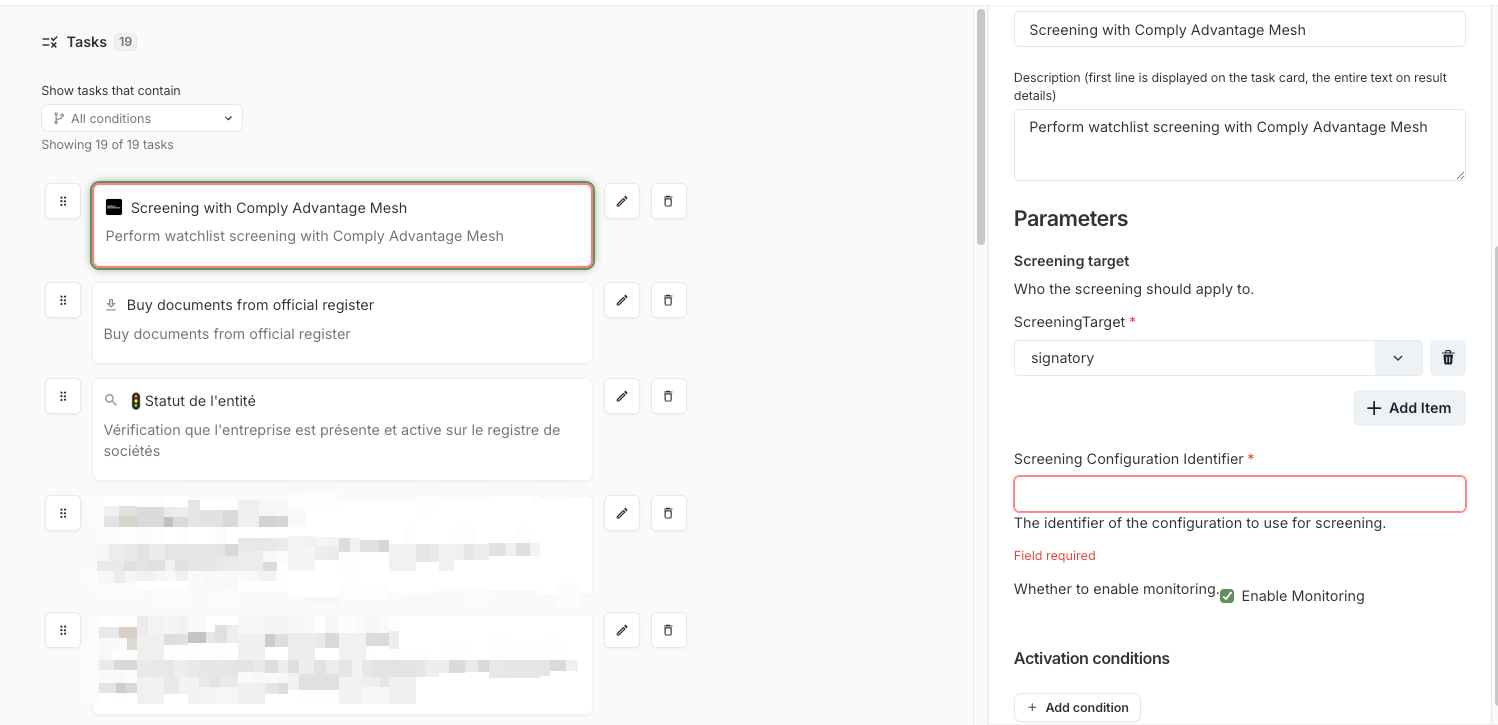
In Ondorse, go to your workflow, and then edit the screening task. You can insert the configuration ID.