Understanding and using SLAs
Last updated: August 3, 2026
SLAs (Service Level Agreements) are performance targets that help you monitor and measure the time it takes to process cases through your workflow. With SLAs, you can:
Track treatment time between key milestones (e.g., from "Case submitted" to "Decision made")
Monitor team performance against target timelines
Identify bottlenecks in your case processing workflow
Ensure compliance with regulatory or internal deadlines
Waiting on actors and how to add custom actors on your cases
📄 How to read the 'Waiting on' status
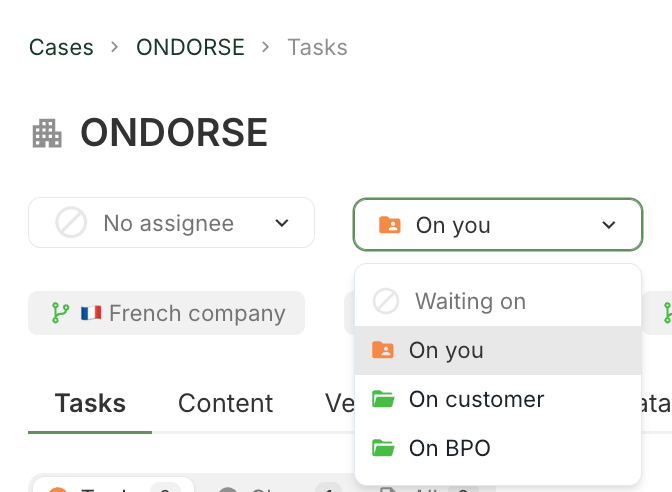
Ondorse natively measures time spent by different actors in a case's lifecycle.
All Ondorse accounts come with default actors On you and On customer but you can require for a custom actor to be added. In the image below we have added on BPO which is a common use case if you externalise pre-treatment of your compliance requirements. You can write to support@ondorse.co to request a new actor to be added.
Viewing actors history on a case
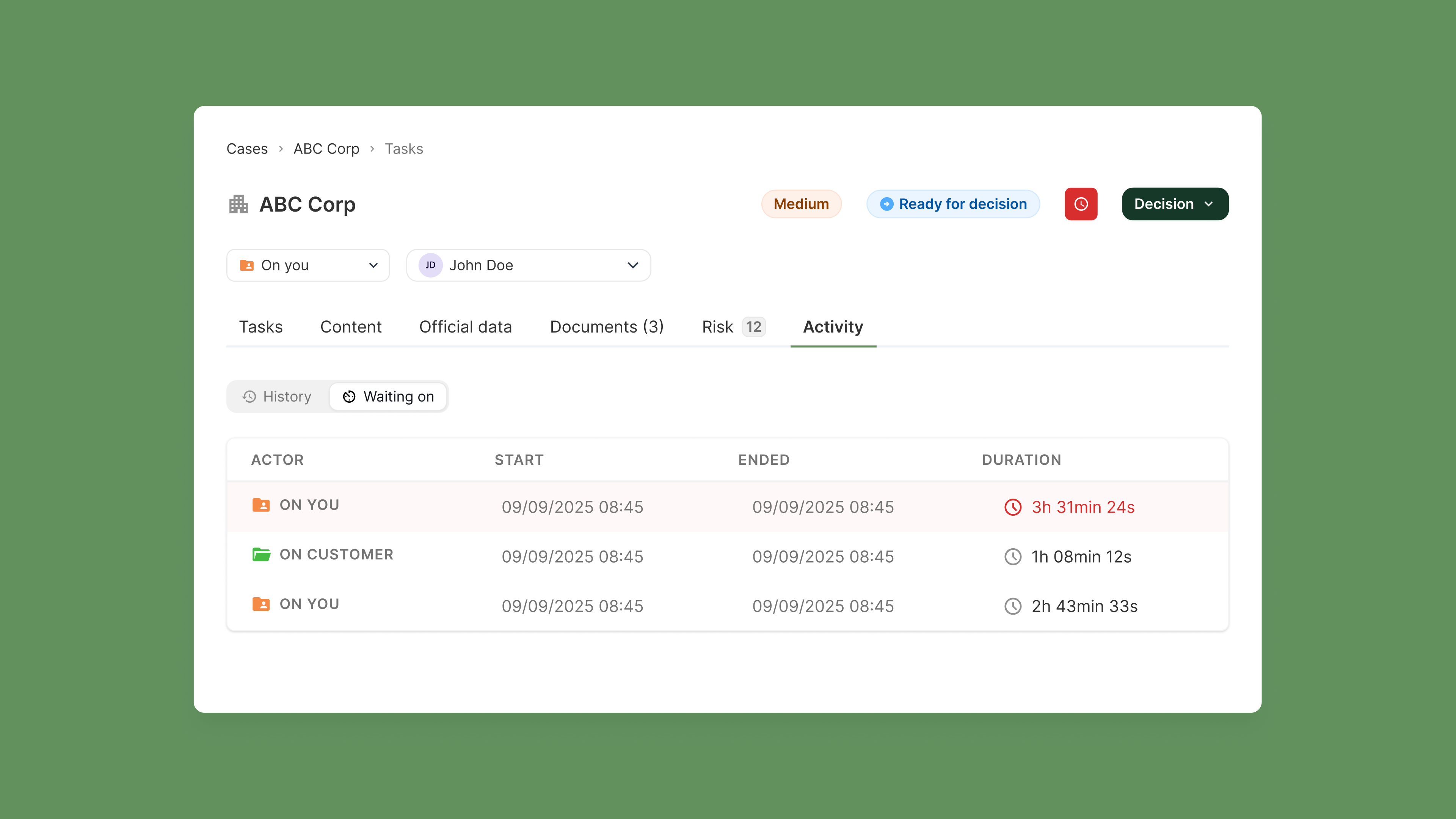
Every time you change the actor you are waiting on for the case to move through your process you will start a new timer that will stop whenever you move on to the next actor.
You can easily view the case's history and be warned whenever the case is in breach of your SLAs.
Setting SLAs
You can create SLAs under settings.
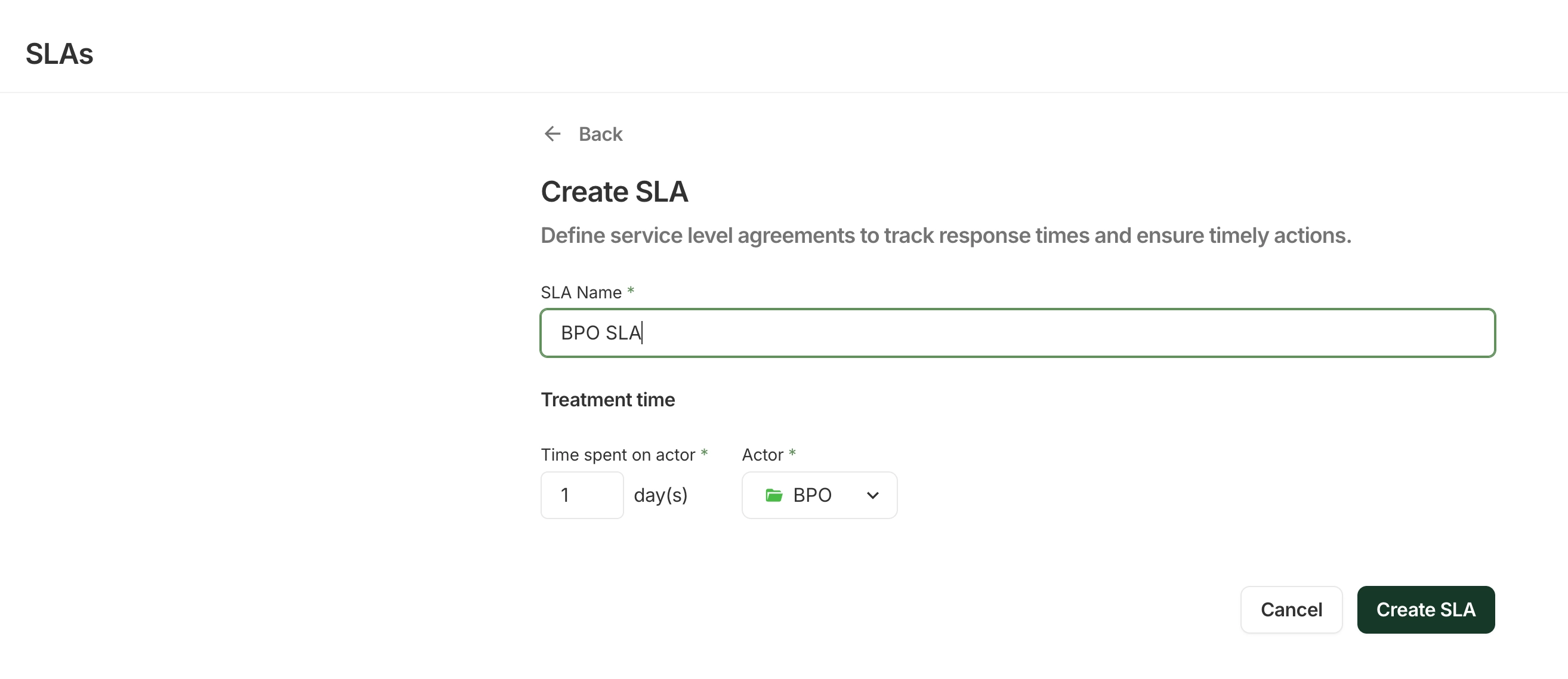
SLAs do not count weekends.
Common ops use cases:
You want to be warned anytime the case has been in treatment by your teams for more than x days.
You want to be warned anytime the case has been in treatment by your BPO for more than x days.
You want to flag any time the customer has not been responding to ensure that your teams are providing appropriate support
After creation, we don't currently support editing an SLA in place, as changing a target time would retroactively recalculate the breach status of all your existing cases and could quietly clear cases that were previously flagged as in breach.
If you'd still like to go ahead: if your SLA is already running in production, reach out to support@ondorse.co and we'll help you make the change safely. If you're still configuring your account, simply delete the SLA and create a new one with your updated values.
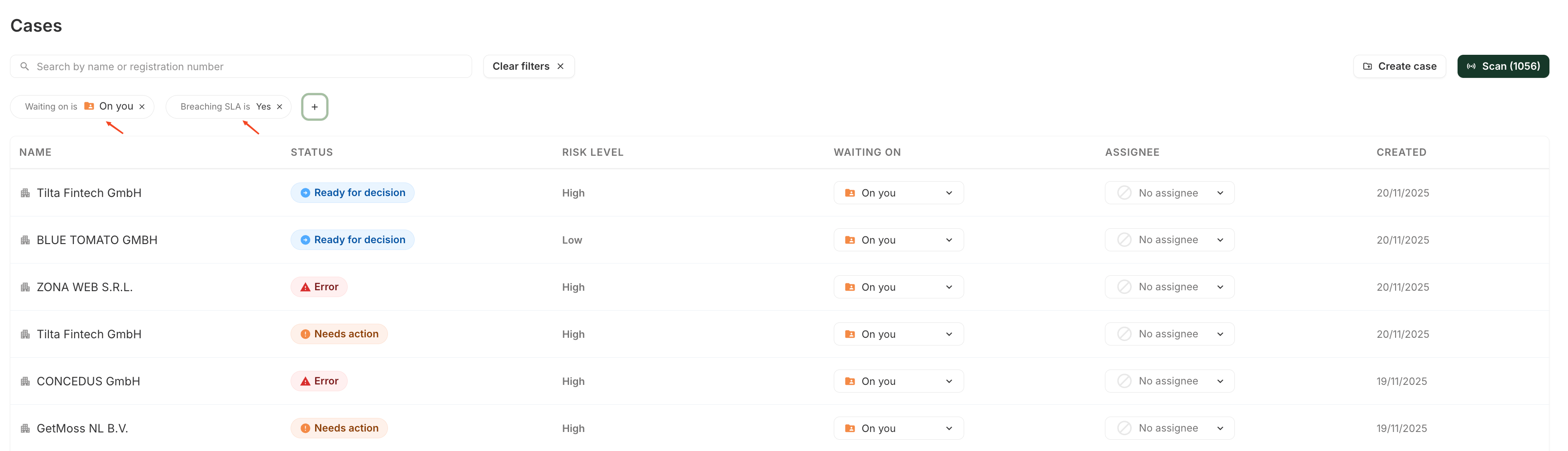
Organise your team's work by using filters
You can save valuable time for your teams by letting them focus on cases that need to be handled and are not waiting on a BPO or on the customer by saving a filtered view which only displays cases On you
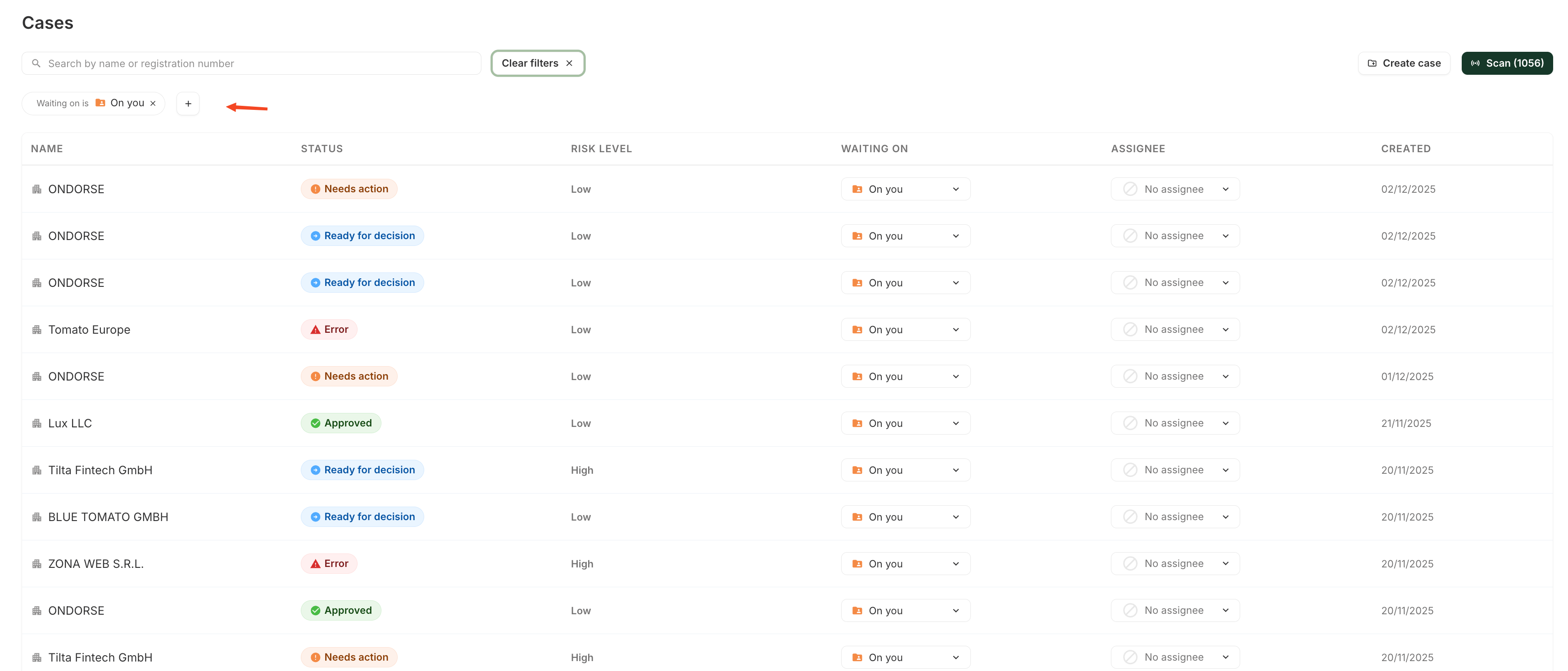
You can also help them focus on cases that urgently need their attention by starting with cases in breach.